In today's fast-moving world of digital storage, picking the right solution really matters. I came across a report from Statista that said the worldwide market for solid-state drives (SSDs) is expected to hit $100 billion by 2025—that's pretty incredible! This kind of demand spike just shows how important it is to get a good handle on solid-state drive technology. These drives have some pretty big perks over the old-school spinning Hard Drives (HDDs): they’re faster and tend to be more reliable, which is a huge win.
Switching over to SSDs is more than just a trend—it’s becoming the industry standard. Data from IDC shows that more and more companies are adopting SSDs for their storage systems, with growth rates climbing over 30% every year. But here’s the thing: choosing the right storage solution isn’t just about speed. You’ve gotta think about how durable it is, how much space you need, and of course, how much you’re willing to spend. Speed might be a big deal for some folks, but longevity and capacity are just as crucial.
Now, not all SSDs are the same—far from it. It’s super important to do your 主页work, check out reviews, and listen to what other users are saying. Investing in a good system means weighing your options carefully; sometimes, you might have to make a few trade-offs. Finding that sweet spot between performance, storage capacity, and your budget will help you make a choice that can keep up with your needs today and in the future.
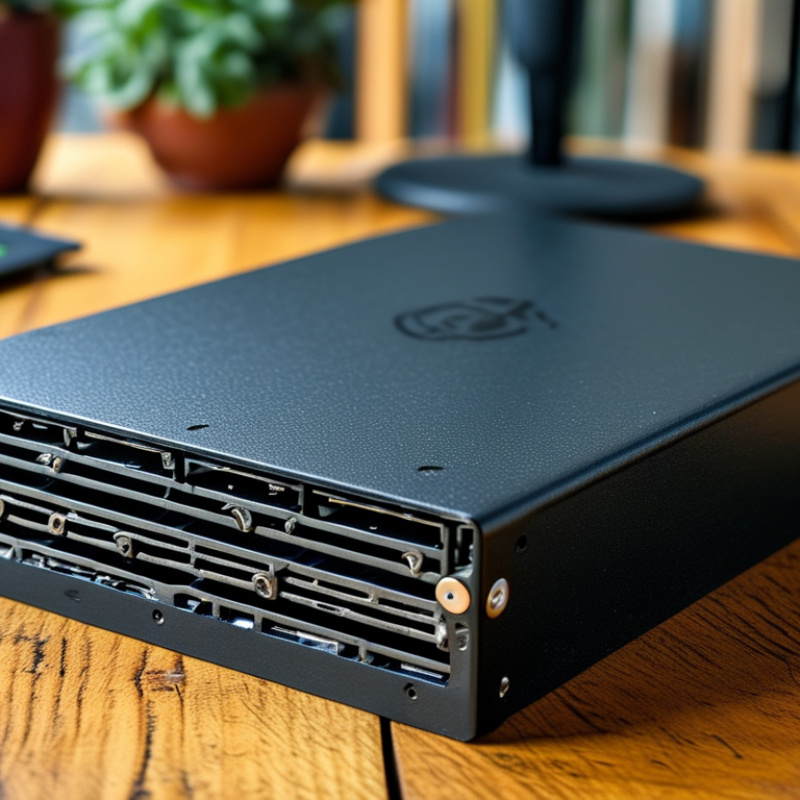
Understanding Solid State Drives (SSDs) and Their Benefits
Solid State Drives (SSDs) are transforming data storage solutions. Their speed, reliability, and durability make them a popular choice. Unlike traditional hard drives, Solid State Discs have no moving parts, which significantly reduces the risk of mechanical failure. According to Statista, the global SSD market was valued at over $45 billion in 2021 and is expected to grow as more users transition to these advanced and efficient storage solutions.
One significant benefit of SSDs is their speed. They provide faster data access and boot times compared to HDDs. This can enhance productivity in both personal and professional environments. Research from Crucial shows that users can experience up to 500% faster performance with SSDs. Such improvements cannot be overlooked, especially in data-intensive applications. However, SSDs can lead to unexpected costs due to limited storage capacity and higher prices compared to traditional options.
When selecting the right storage solution, consider these tips. Assess your storage needs carefully. If you handle large files regularly, an SSD with a higher capacity is essential. Also, ensure that the Ssd Supports your device's interface for optimal performance. Always read user reviews to gauge reliability. Remember, going without a backup plan can be risky, even with a Solid State Disc. Investing time in research will lead to more informed decisions.
Solid State Drive Performance Comparison
This chart compares the read and write speeds of different types of Solid State Drives (SSDs). The data illustrates the performance capabilities between SATA, NVMe, and M.2 SSDs in megabytes per second (MB/s).
Factors to Consider When Choosing an SSD for Your Needs
When choosing an SSD, consider the capacity that fits your workflow. For casual users, 250GB to 500GB is usually enough. Gamers, however, might need 1TB or more for larger game libraries. Think about your future needs as well. Storage requirements can grow quickly, especially with high-resolution content.
Next, look into the read and write speeds. Higher speeds mean better performance, especially for tasks like video editing or gaming. Yet, the difference might not be noticeable for everyday tasks. It's worth checking benchmarks from reliable sources before purchasing. Don’t be swayed by flashy advertising.
Lastly, consider endurance ratings such as TBW (Terabytes Written). This gives an estimate of how long the drive will last under heavy usage. While some drives offer impressive specs, they often come with higher prices. Balancing your budget with performance can be challenging. It’s essential to weigh these factors against your actual needs, reflecting on what your usage patterns are likely to be. A thoughtful selection process can greatly enhance your experience.
Types of SSDs: SATA, NVMe, and M.2 Explained
When choosing a Solid State Drive (SSD), understanding the different types is crucial. SATA SSDs typically offer slower speeds compared to their NVMe counterparts. They connect over the SATA interface, making them compatible with many systems. However, users may find them sufficient for basic tasks and upgrades from traditional hard drives.
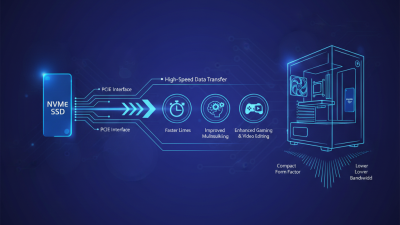
NVMe SSDs stand out for their high-speed performance. Utilizing the PCIe interface, they provide dramatic improvements in data transfer rates. These drives are ideal for gamers and professionals who demand fast load times and high-performance data processing. However, the cost of NVMe drives can be a limiting factor for some.
M.2 connectors add another layer to the SSD landscape. They support both SATA and NVMe SSDs in a compact form factor. This versatility can be attractive for those with space constraints inside their devices. Yet, installation can be tricky for less experienced users. Assessing your specific needs is critical before investing in any Solid State Drive.
Assessing Storage Capacity Requirements for SSDs
When choosing a solid-state drive (SSD), understanding your storage capacity requirements is crucial. Begin by assessing how you use your device. Are you a gamer, a professional content creator, or a casual user? Each of these roles has unique storage needs. Gamers often require more space for large game files, while creators may need to store high-resolution videos and graphics.
Consider the types of files you plan to store. Photos and videos can consume a lot of space. A single hour of 4K video can take up over 300 GB. It’s essential to predict your future storage needs, too. What may seem like sufficient space today can quickly become inadequate. Data accumulates, and cloud storage options don't always replace local storage.
Look at your available budget for an SSD. Higher capacity drives generally cost more. It may be tempting to opt for less storage, but a small SSD can lead to frustration over time. Reflect on your usage. Will you regret not spending a bit more now? Balancing your immediate requirements with future expectations will guide you in making a thoughtful decision.
Performance Metrics: Read/Write Speeds and IOPS
When selecting a storage solution, understanding performance metrics is crucial. Read and write speeds directly affect how quickly data transfers occur. For instance, a Solid State Disk (SSD) can achieve read speeds of up to 7,000 MB/s. In contrast, traditional hard drives often max out around 150 MB/s. This discrepancy highlights the significant performance benefits of SSDs for tasks requiring rapid data access, such as gaming or video editing.
IOPS, or Input/Output Operations Per Second, is another key metric to consider. High IOPS indicates better performance under heavy workloads. Recent studies reveal that high-end Solid State Disks can deliver over 100,000 IOPS, showing their advantage in multitasking environments. On the other hand, some lower-end SSDs may struggle, averaging around 20,000 IOPS. This inconsistency can lead to bottlenecks during peak usage times, especially with intensive applications.
While many SSDs claim high speeds and IOPS, real-world performance may vary. Factors such as system configuration and workload type can significantly impact these metrics. Users must carefully evaluate their needs and not just rely on manufacturer claims. Ultimately, focusing on both read/write speeds and IOPS will guide you to the right Solid State Disk for your specific storage needs.
Compatibility: Ensuring SSD Works with Your Device
When selecting a solid-state drive (SSD), compatibility must be a primary concern. Not all SSDs work with every device. Check your device's specifications carefully. Look for the correct connector type, whether it’s SATA, NVMe, or PCIe. Many users overlook this step and end up frustrated when they receive an incompatible drive.
Consider how much storage you truly need. SSDs come in varying capacities, but larger ones aren't always necessary. Assess your usage patterns. Do you store extensive games or large media files? Alternatively, will a smaller capacity suffice for applications and documents? Reflecting on these needs can prevent unnecessary expenses.
Tips for ensuring compatibility include checking for updates on your device and the SSD. Some systems might require firmware updates to recognize new storage solutions. Additionally, look into thermal considerations. Some SSDs generate more heat, which may affect device performance. Always refer to your device’s guidelines for optimal performance and compatibility. Be sure to consult forums and user reviews for real-world experiences, connecting you with a community that can back up your choices.
Budgeting for Your SSD Purchase: Cost vs. Performance
When budgeting for your SSD purchase, it's crucial to balance cost and performance. The market offers a variety of Solid State Hds at different price points. According to recent industry reports, prices for 1TB SSDs can range from $50 to over $200. This variation largely hinges on factors like read/write speeds and warranty periods. Thus, consumers must assess their needs carefully.
Many users overlook performance metrics such as IOPS (Input/Output Operations Per Second). Higher IOPS means better performance in multitasking. A Solid State HD with around 500 MB/s read speed may seem adequate, yet competing models can reach over 3,500 MB/s. Users should not settle for mediocre options. Sometimes, investing a bit more can lead to a significantly enhanced experience.
Additionally, it's wise to consider the lifespan of the SSD. Some models might offer a lower upfront cost but could fail sooner. Data from industry analyses suggest that SSD endurance is often rated in terabytes written (TBW). A drive rated for 300 TBW may wear out faster than you expect. Reflecting on these factors will help ensure you choose the right Solid State HD for your specific needs.
Optimizing Your Storage Needs: A Comprehensive Guide to G-BONG 2.5" SATA Solid State Disks
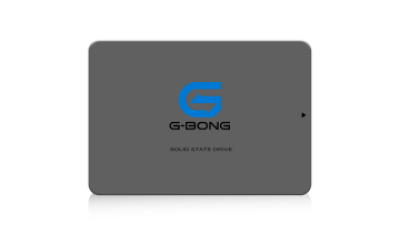
When optimizing your storage needs, understanding the specifications and performance metrics of solid-state drives (SSDs) is essential. The G-BONG 2.5” SATA SSD exemplifies a superior choice for consumers seeking reliable and efficient storage solutions. With impressive sequential read speeds of up to 550 MB/s and write speeds reaching 520 MB/s, this SSD ranks among the industry leaders in performance. Such speeds can significantly improve system boot times, reduce load times for applications, and enhance the overall user experience, making it an ideal investment for both personal and professional use.
The robust master controller at the heart of this SSD includes four flash channels and a SATA III 6 Gb/s interface, thereby ensuring consistent and high-speed data transfer. Additionally, it supports advanced technologies such as S.M.A.R.T. (Self-Monitoring, Analysis, and Reporting Technology) and the LDPC (Low-Density Parity-Check) algorithm, which contribute to better error correction capabilities and improved data integrity. According to industry reports, these features enhance the drive's performance longevity, achieving a mean time between failures (MTBF) of up to 1.5 million hours—a testament to its reliability in demanding environments.
In addition to its technical specifications, this SSD comes with world-class quality assurance and support for up to three years, cementing its place as a dependable option for users. The combination of high performance, advanced technology, and robust build quality aligns with the best practices for optimizing storage needs in today's data-driven landscape, ensuring that users receive a well-rounded product that meets their demands.
FAQS
: Key performance metrics include read/write speeds and IOPS. These metrics affect data transfer rates significantly.
SSDs can reach speeds up to 7,000 MB/s, while traditional hard drives usually max out around 150 MB/s.
IOPS stands for Input/Output Operations Per Second. Higher IOPS indicates better performance under heavy workloads.
Yes, actual performance can differ due to system configuration and workload types. Relying solely on claims can be misleading.
Check your device specifications, including connector types like SATA, NVMe, or PCIe, to avoid frustration.
Not always. Assess what you store, like games or documents, to determine the right size and avoid overspending.
Factors such as thermal generation and firmware updates can impact performance. Monitor these to maintain efficiency.
Yes, consulting forums and reviews helps you make informed decisions based on real-world experiences.
Look for firmware updates and follow device guidelines for optimal SSD performance. Always do thorough checking.
Conclusion
When choosing the best storage solution, understanding Solid State HDs (SSDs) is crucial due to their numerous benefits over traditional hard drives. Key factors to consider include the type of SSD—such as SATA, NVMe, and M.2—each offering different performance levels and compatibility with various devices. Assessing your storage capacity needs and evaluating performance metrics like read/write speeds and input/output operations per second (IOPS) will guide you in selecting the right SSD for your specific requirements.
Moreover, compatibility with your existing hardware is essential to ensure optimal performance. Finally, budgeting for your SSD purchase involves balancing cost with desired performance attributes. By considering these aspects, you can make an informed decision when investing in a Solid State HD that best suits your storage needs.